




What Is The Choicer Voicer?
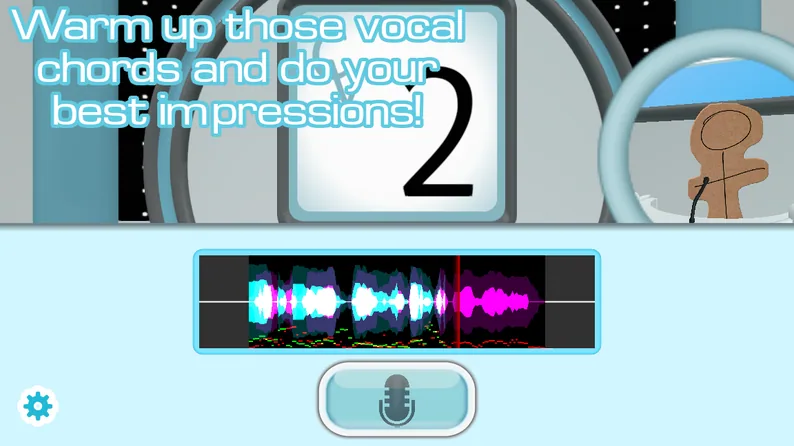
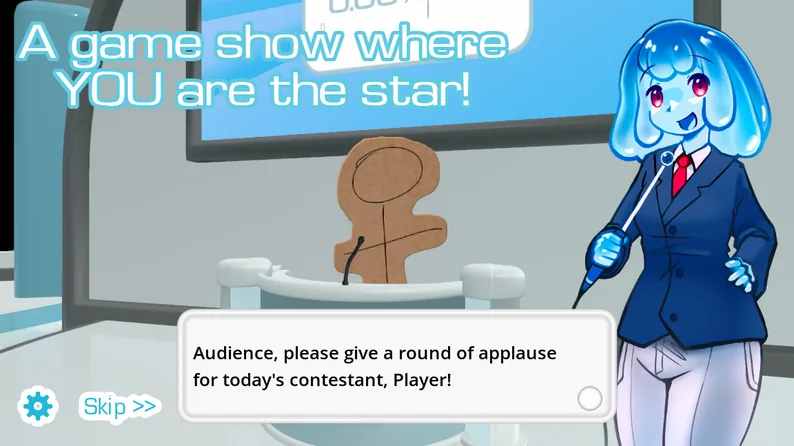
The Choicer Voicer is a free browser voice acting and voice impression party game. A reference clip plays, you recreate it out loud into a microphone, and a panel of judges scores how close your delivery is to the original.
The game gives you a studio, a host, judges, and an empty content library to fill with voice packs. That makes each session feel less like clearing a fixed campaign and more like building a performance library that grows with the clips you collect, create, and share.
How To Play The Choicer Voicer
Every round follows a short, readable loop. Load some content, listen closely, perform into your mic, and see how the judges react.
- Load a voice pack. The pack supplies the clips or prompts that make a round possible.
- Listen to the reference. Notice its pitch movement, pauses, speed, and emotional delivery.
- Perform the line. Recreate the clip out loud into your microphone while the round is live.
- Get judged. The active panel scores the attempt, then the next player or round begins.
Choose Your Way To Play
Single-Player
Play through judged rounds on your own. This is the easiest way to learn a pack, test your input, and understand how the panel reacts before inviting anyone else.
Local Multiplayer
Share one studio with 2–6 players. Take turns performing and assign each microphone before the first round so one player's voice does not bleed into another turn.
Play Local MultiplayerTwitch Chat Mode
Let your audience participate through chat commands and use chat-focused packs when you want viewers to contribute more than a vote from the sidelines.
Dub Mode
Move away from short scored prompts and record a longer voiceover pass. Test a short clip first before committing to a full scene.
Browse Built-in Dub PacksBuilt-in browser content
Launch a Built-in Dub Mode Scene
Choose a built-in scene, listen to the original line, record your own performance, and replay the result in Dub Mode.
The homepage includes built-in Dub Packs that you can launch directly in your browser. Choose a scene, return to the game with that pack selected, and try the performance again after you hear the result.
Choose a scene
Browse built-in scenes by title, creator, theme, line count, or duration.
Record the line
Listen to the reference performance, then deliver the line into your microphone.
Replay and improve
Watch the scene with your voice, notice the timing, and try a different delivery.
Build Your Own Voice Packs
The Choicer Voicer starts with an unusually open content model: the library is meant to be filled. Use a community pack when you want to start playing immediately, or make a pack from clips you know well and organize it around a character, mood, theme, or group of friends.
A small pack is enough for a quick test, but a larger collection gives a session more room to breathe. Starting with familiar lines also makes it easier to focus on your delivery instead of trying to memorize an unfamiliar clip during your first attempt.
A good first pack
- Use clips you can already recite without thinking.
- Mix short and longer lines so sessions do not all feel identical.
- Group clips by character, mood, or audience so choosing a pack is quick.
- Test a few clips before building a large collection around them.
What Affects Your Score?
The exact judging formula is not documented in the game, but player experience points to four practical things worth listening for before you perform.
Pitch and tone
Follow the shape of the original voice instead of forcing yourself into an uncomfortable register. Texture matters too: a breathy, nasal, clipped, or gravelly delivery can change how a line reads.
Timing
Match the start, pauses, speed changes, and breath placement. A technically similar voice can still lose its shape if it rushes or drags the line.
Emotional delivery
Decide what the clip feels like before you start: annoyed, panicked, smug, exhausted, or something else. A committed read is easier to recognize than a careful but flat one.
Clarity and microphone quality
A clipped, quiet, or noisy recording can make a good impression difficult to judge. Check your input before a scored round rather than troubleshooting halfway through.
Customize The Studio
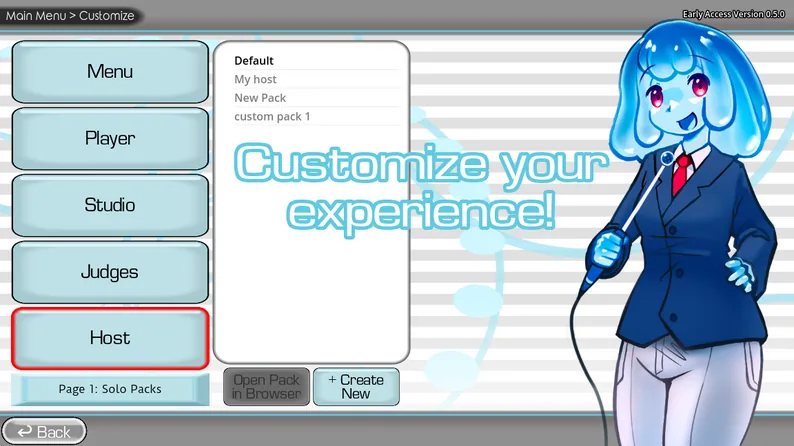
The Customize menu lets you change more than the clips. Depending on the content available to you, you can swap the studio presentation, judge panel, and host while keeping the same voice pack. That separation gives a familiar set of prompts a different rhythm without requiring a brand-new library.
Why The Choicer Voicer Game Works For Groups
The Choicer Voicer game is easy to understand because every round has a clear performance goal: hear a voice, make your own version, and find out how the judges respond. There is no complicated inventory, long tutorial, or perfect controller combination to memorize. The microphone is the main input, so the funniest moments come from commitment, timing, and the difference between what a player intended and what everyone else heard.
That simple loop makes The Choicer Voicer flexible for solo sessions, living-room play, and streams. Beginners can have just as much fun as experienced voice actors because an unexpected impression is often more memorable than a technically accurate one.
If you are searching for the choicer voicer game because you want something different from a quiz or a reflex arcade title, the central appeal is the same: the content comes from voices and performances. You are not only choosing an answer. You are choosing how boldly to deliver it, which makes the result personal even when every player receives the same reference clip.
A Simple Session Plan For New Players
The first session of The Choicer Voicer feels smoother when the group agrees on a few small details before starting. Decide who will host the session, which voice pack you want to try, and whether the goal is a serious score or a funny performance. If several people are sharing a room, leave enough space between microphones and keep unused inputs muted. These decisions take less than a minute and prevent most early interruptions.
- Choose familiar material. Begin with a pack containing voices or clips that the group recognizes. Familiar references make the first comparison funny and give players an immediate sense of what to copy.
- Run a microphone check. Have each player say one short line while the others listen for volume, delay, and background noise. Fix the quietest or noisiest input before starting a scored round.
- Make the first round low pressure. Let everyone learn the timing once. Players will perform more confidently after they understand when the reference ends and when their own recording begins.
- Review the result together. A score is only one part of the fun. Ask which detail made the impression recognizable and which unexpected choice made the group laugh.
Tips For Better Voice Impressions
A strong impression is usually built from several small observations rather than one exaggerated voice. Listen for the highest and lowest parts of the reference, then notice where the speaker changes speed. Some clips depend on a long pause before the final word; others rely on a sharp consonant, a breath, or a sudden change in volume. Copying those landmarks can make a performance recognizable even if your natural voice is completely different.
Try the line once as a quiet rehearsal and once with full energy. This gives you a chance to find the rhythm before you commit to the character. Avoid pushing your throat into an uncomfortable register. Pitch, texture, and attitude can be suggested with posture, mouth shape, and timing, so a safe readable performance is more useful than a strained imitation that clips the microphone.
The Choicer Voicer rewards attention, but it also rewards personality. If a line invites a dramatic pause, make the pause intentional. If the reference sounds tired, do not only lower the pitch; slow the movement and soften the ending. When a local group or Twitch audience is watching, a clear choice gives them something to react to and makes the performance easier to remember.
Choosing The Right Voice Pack
Voice packs shape the personality of a session. A character-focused pack may reward close imitation, while a mood-based pack can encourage players to reinterpret the same kind of line in different ways. Short clips are useful for fast party rounds, and longer clips create more room for acting, timing, and deliberate pauses. Mixing both types keeps the session from becoming repetitive.
When building a collection, label each pack clearly and keep a short description with it. Note the intended voice, mood, source, and approximate difficulty so players can choose quickly. Test every clip at a normal speaking volume before sharing it. A pack is more enjoyable when the reference is understandable, the recording is clean, and the player can begin performing without guessing what the round expects.
The Choicer Voicer Downloadable Edition
Get The Choicer Voicer’s Paid Version & Install GameBanana Packs
Looking for The Choicer Voicer Download?
The Choicer Voicer browser game on this page remains free to play online.
The Choicer Voicer paid itch.io version supports downloadable community language and voice packs. Visit our purchase, download, and pack installation guide to learn how to get The Choicer Voicer and add compatible packs.
View The Choicer Voicer Purchase, Download & Pack Guide
Browse GameBanana Packs & Mods
Start Your First Session Well
- Start with an existing voice pack if you are still learning the round structure.
- Listen to each clip at least twice: once for the words and once for its pitch, rhythm, and feeling.
- Confirm your microphone input before inviting local players or opening a stream.
- Use a short Dub Mode clip to expose sync problems before recording anything long.
- For Twitch, explain the voting or interaction commands before the first round.
Microphone and Browser Troubleshooting
If the game does not detect your voice
Check the browser microphone permission, selected input device, system input level, and background noise. If you are using a surround-sound or virtual audio setup, try a simpler standard stereo configuration first; some setups can cause recording or sync problems.
If the native game does not load
Wait briefly for the browser build to initialize, then refresh once. Browser permission or an unstable connection can prevent the pack catalog from starting. Use fullscreen when the studio feels cramped.
The Choicer Voicer Fan Resources
This independent fan page collects practical information for players who want to try the browser game, build a voice pack, improve their score, or run a more entertaining session with friends and viewers. It is not the developer’s official website.
How To Play
A deeper guide to the round loop, game modes, scoring, and first-session setup.
Tips & Tricks
A practical breakdown of pitch, timing, emotion, microphone setup, Twitch Chat Mode, and Dub Mode.
Built-in Dub Packs
Choose a scene from the browser game's native catalog and jump into the homepage with that pack ready to play.
Play Built-in Dub Packs OnlineGameBanana Packs
Browse external community Packs and Mods from GameBanana. Each listing links to the original source page for current downloads, compatibility notes and installation details.
Browse GameBanana Packs & ModsFirst Session Notes
A player-focused account of what it feels like to build a library before the first real round.
Fan Site Disclaimer
The Choicer Voicer and its original game materials belong to their respective creator and rights holders. This is an independent fan-made information page with a native browser game. It is not affiliated with, endorsed by, or presented as the official website of the game’s creator.