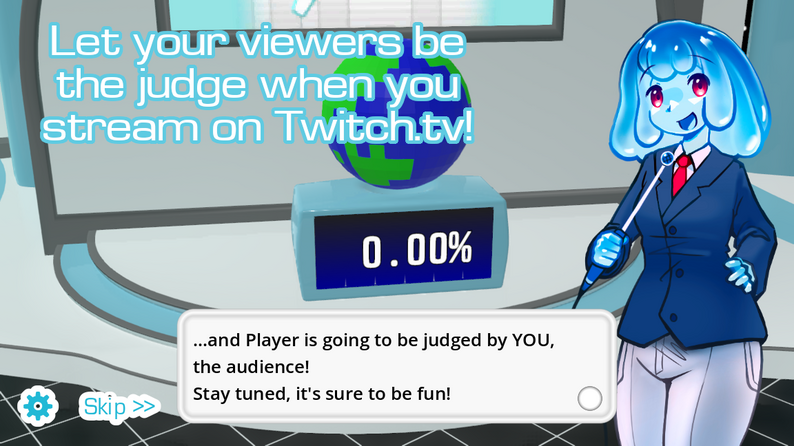
The Choicer Voicer · Free online play · Downloadable edition
Play The Choicer Voicer Free Online. Get The Choicer Voicer Downloadable Version for Custom Packs.
Looking for a Choicer Voicer free download? The Choicer Voicer browser game on this site stays free to play online, while The Choicer Voicer downloadable paid game is purchased through itch.io.
This download guide for The Choicer Voicer explains how to purchase, download, and install the game. It also explains the difference between built-in Dub Packs, browser-local ZIP Packs, and external GameBanana Packs and Mods.
Platform availability
The Choicer Voicer Platform Availability
Searches for Steam, Mac, mobile, and APK can refer to different versions or unofficial uploads. The original itch.io release currently lists Windows and Linux desktop builds and supports local 1–4 player play; it does not include online multiplayer. The browser version on this site has Local Multiplayer live now for 2–6 players on one computer. Online multiplayer for different computers is coming soon. Check the creator’s itch.io listing for the latest downloadable files and system notes.
Steam availability
This site does not list an official Steam release or Steam download. The purchase path currently provided is the creator’s itch.io page.
Check the itch.io downloadMac availability
Mac availability is not guaranteed by this page. Check the current files and system notes on itch.io before purchasing because platform support can vary by build.
Check Mac support on itch.ioMobile browser availability
Mobile browser play may work on some phones and tablets, but microphone permissions, touch controls, screen size, and performance can differ from desktop. There is no native mobile download promised on this page.
Try the browser versionAPK availability
No official APK download is listed on this site. Use the browser version on a supported mobile browser or an official itch.io release only if it explicitly includes one, and avoid third-party APK files.
Play safely in your browserOnline multiplayer status
The original itch.io game does not include online multiplayer. The browser version on this site has Local Multiplayer live now for 2–6 players on one computer. Online multiplayer for different computers is coming soon. The current downloadable release supports local 1–4 player play. See the live browser multiplayer mode. Read the original developer update.
Play the current versionGame overview
What Is The Choicer Voicer?
The Choicer Voicer is a paid party-style voice performance game where players react, perform, and improvise around prompts, clips, and game-show presentation beats. The browser version on this site lets you try the core experience for free online, while the downloadable edition is the version to consider when you want a local installation and compatible custom Packs.
A downloadable copy is useful for groups that want to keep a local collection of content, return to the same setup, or add community-made material. Start with the free browser game on the homepage, then use this page when you are ready to compare the downloadable edition and its installation steps.
Core Gameplay
Players respond to prompts through voice performance and quick timing. A typical round asks the group to listen closely, perform a line or reaction into a microphone, and see how the show responds. Rounds can use announcers, hosts, judges, and themed audio material to give the same simple performance loop a different tone.
Listen
Pay attention to the reference clip, prompt, rhythm, and emotional delivery.
Perform
React out loud with your own voice while the round is live.
Play it again
Use different hosts, judges, themes, or Packs to create a new show feel.
Supported Custom Content
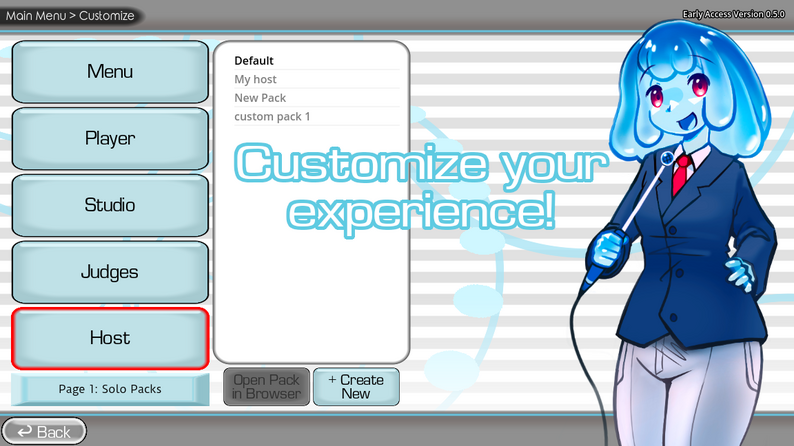
Custom Packs help groups create their own show tone, recurring jokes, and content library. Built-in Dub Packs are playable scenes on this site, compatible ZIP Packs can stay local in your browser, and the GameBanana directory links to the external source listings available for the downloadable edition.
Voice Packs
Clips, prompts, characters, and voices for performance rounds.
Dub Packs
Timed scenes and dialogue for voiceover-style sessions.
Hosts and Judges
New presenters and judging personalities for the show.
Players
Custom contestants, names, images, and reactions.
Menus
Alternative navigation and presentation assets.
Studios
Different stage, music, and studio presentation resources.
Chatter Packs
Keyword-triggered audio for Twitch Chat Mode.
Compilation Packs
Collections that group related mods or assets together.
Browse GameBanana Packs & Mods
Purchase, download, and install The Choicer Voicer
Get The Choicer Voicer Download in Three Steps
01
Buy The Choicer Voicer on itch.io
Complete the purchase for The Choicer Voicer downloadable edition through itch.io using an account you can return to later.
Buy The Choicer Voicer on itch.io02
Download and Install The Choicer Voicer
Download the current downloadable file for The Choicer Voicer from itch.io, then run its installer or extract its archive on your computer before adding any packs.
03
Add Compatible GameBanana Packs
Choose a Pack or Mod from its original GameBanana listing, check the creator's notes, extract it, place it in The Choicer Voicer's custom-content location, and restart the downloadable game.
Browse GameBanana Packs & Mods
System Requirements and Compatibility
Use the official itch.io notes as the source of truth for the current downloadable build. The practical checklist below helps you prepare without assuming a platform or storage specification that has not been confirmed.
Operating system
The original itch.io release currently lists Windows and Linux desktop builds. Mac is not listed as a supported downloadable platform here, so check the source page for any future change before purchasing.
Input
A microphone is recommended for voice performance and recording.
Storage
Leave enough space for the base game files and any local custom Packs you add later.
Network and multiplayer
A connection is needed to purchase, download, and obtain community resources. The downloadable itch.io release supports local 1–4 player play and does not include online multiplayer. On this site, browser Local Multiplayer is live for 2–6 players on one computer; online multiplayer for different computers is coming soon.
How to Install a Pack in The Choicer Voicer
Locate The Choicer Voicer Game Folder
Find the local folder where The Choicer Voicer downloadable version stores custom content. The exact path can change by platform and game version, so check the creator’s notes if the folder is not obvious.
Back Up The Choicer Voicer Pack Folder
Copy your existing The Choicer Voicer pack folder before making changes. It is faster than rebuilding a collection after a mistaken overwrite.
Install The Choicer Voicer Pack Files
- 1. Extract The Choicer Voicer Pack ZIP. Extract the archive into a temporary folder.
- 2. Check The Choicer Voicer Pack Files. Confirm the folder contains the expected audio, metadata, or asset files.
- 3. Move The Choicer Voicer Pack Folder. Copy the extracted pack into The Choicer Voicer’s custom-content folder.
- 4. Keep The Choicer Voicer Packs Separate. Avoid merging files into another creator’s pack unless that creator’s guide says to do it.
Choose the Right The Choicer Voicer Pack Path
Built-in Dub Packs
Choose a scene and play built-in Dub Packs online in your browser.
Play Built-in Dub Packs OnlineBrowser-local ZIP Packs
Import a compatible ZIP locally when you want to test custom content without publishing it to the directory.
Play in Your BrowserGameBanana Packs & Mods
Open the original GameBanana listing for external downloads, compatibility notes, and the creator’s installation instructions.
Browse GameBanana Packs & ModsReady to Play The Choicer Voicer Free Online?
Try the browser version first on the homepage. If your group wants local custom content after that, return here for the downloadable edition and Pack installation guide.
Play The Choicer Voicer Free Online